Headtracking MouseControl For IC
| Mod Name | Headtracking MouseControl For IC |
| Game | Farming Simulator 25 |
| Manufacturer | None |
| Category | Gameplay |
| Author | DerElky |
| Size | 99 KB |
| Version | 1.0.0.0 |
| Release Date | 31.03.2026 |
| Platform | PC/MAC |
Views 2
Downloads 0
ModBarn 0 (0)
ModHub 4.2 (41)
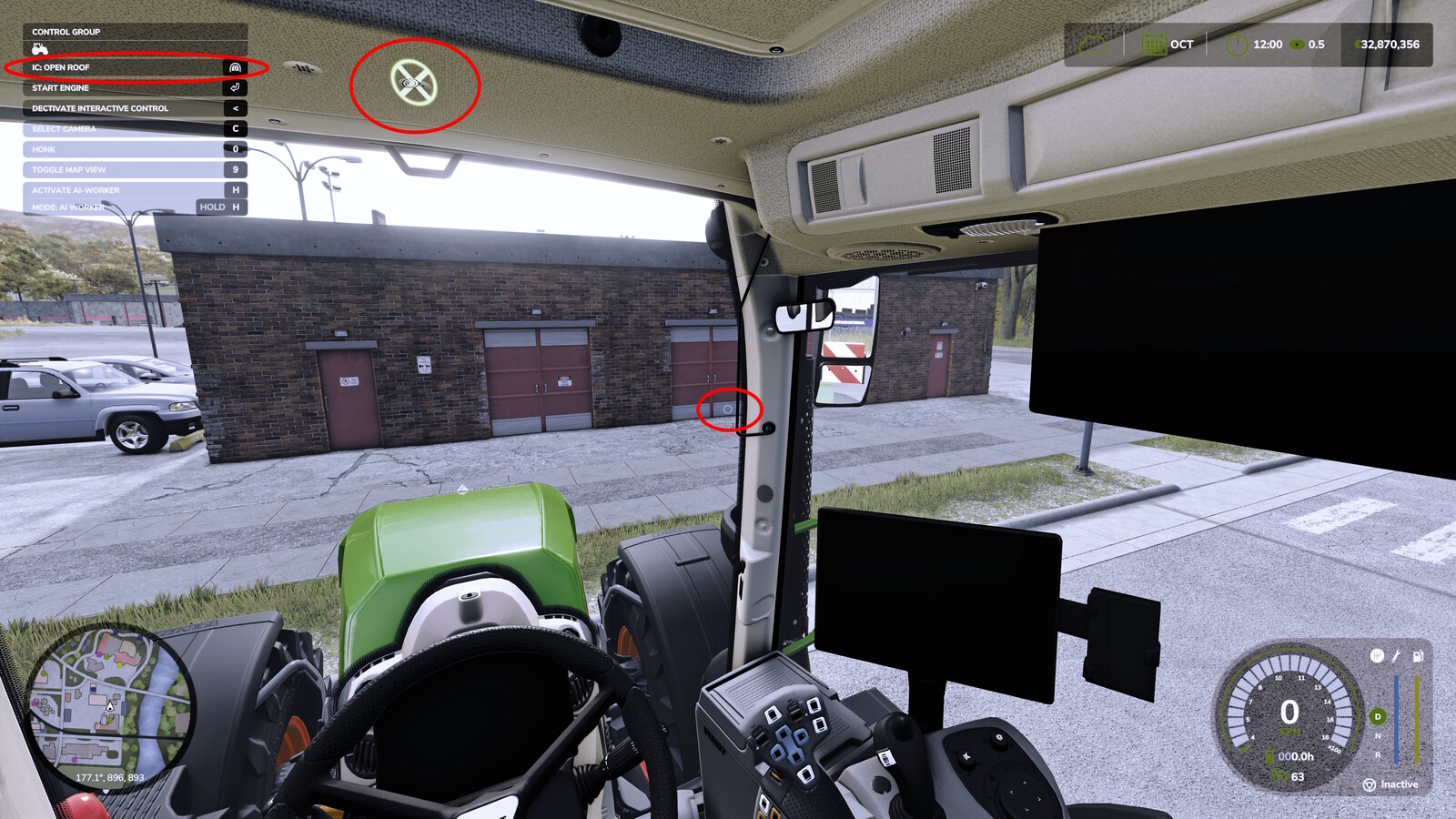
Adds a mouse cursor in vehicles to make it easier to click Interactive Control (IC) buttons and switches.
Requirements
- Works only when head tracking is enabled in the game and the Device is active.
- The cursor is tied to IC (only on the current vehicle with IC enabled).
Modes / Behavior
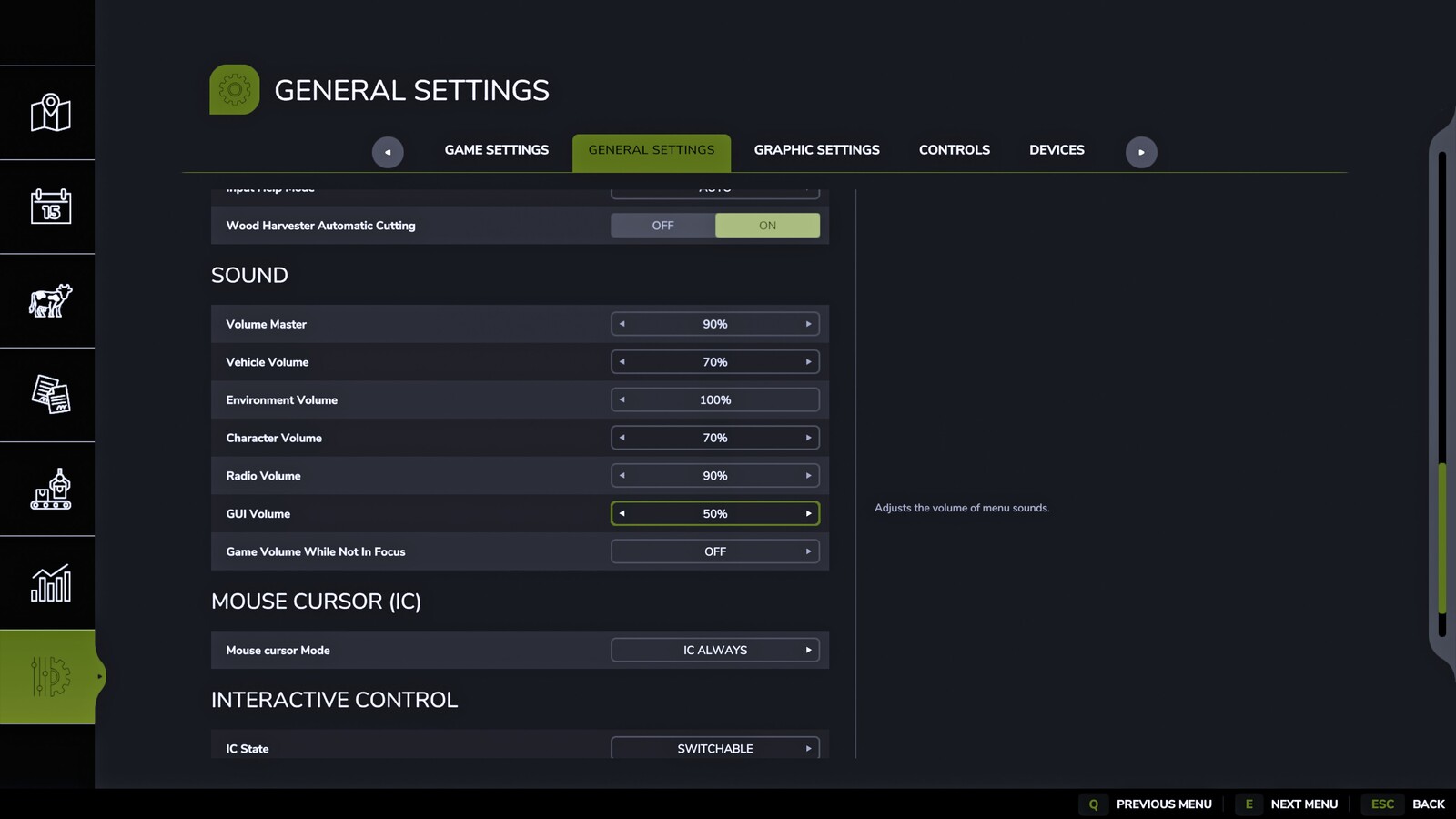
- IC active: the cursor is shown automatically whenever IC is active.
- IC active + manual: the cursor is shown automatically while IC is active; it can also be hidden/shown via Toggle.
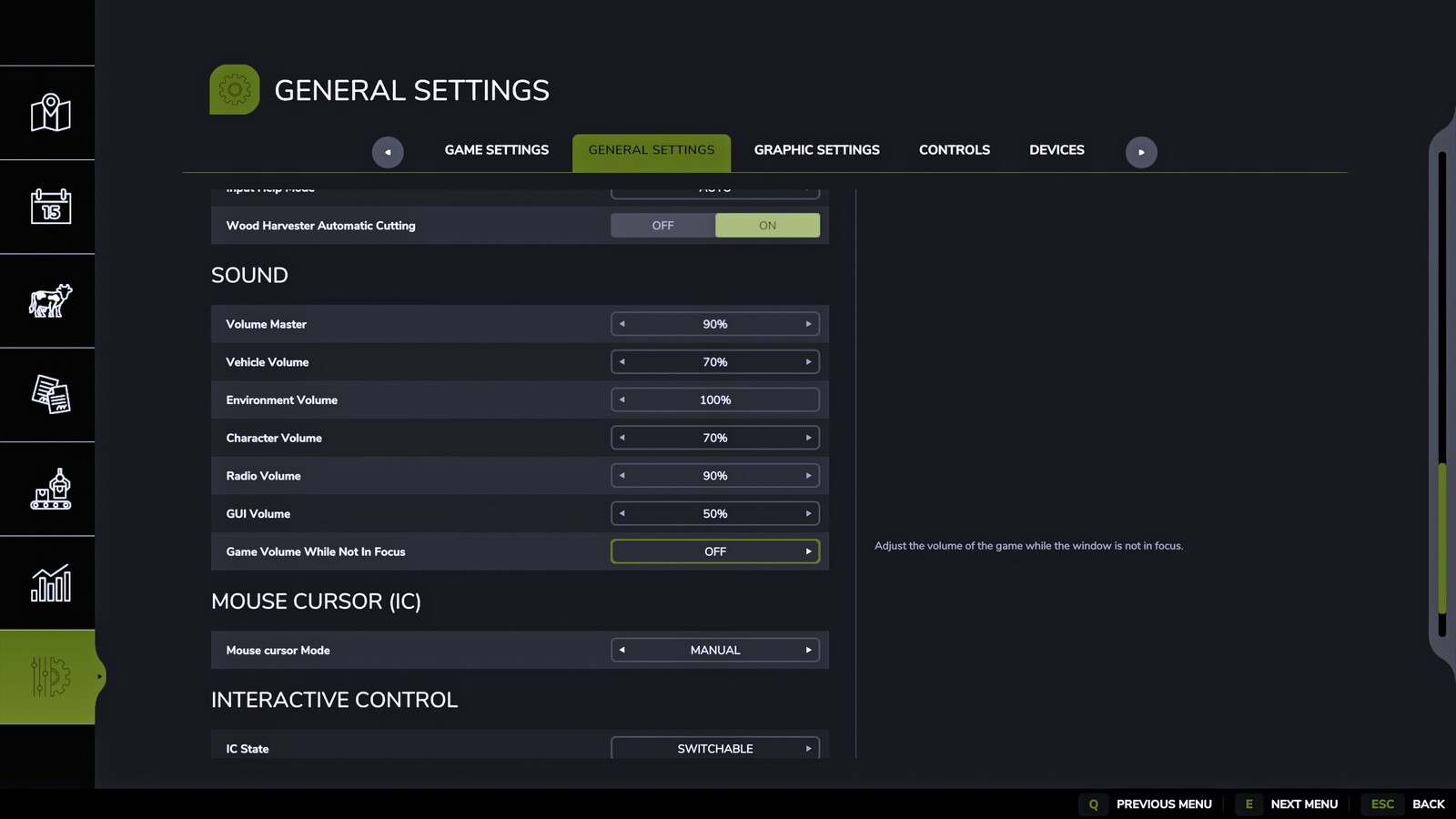
- Manual: the cursor is shown only via key input (Toggle or Hold).
- Never: the cursor is disabled.
Controls
- Toggle (Standard Insert): show/hide the cursor.
- Hold (Standard Delete): show the cursor only while the key is held (Manual mode only).
Settings
- Mode can be changed in the in-game settings menu.
- Toggle/Hold key bindings can be changed in the game’s controls menu.
Suggested Mods

Ratings & Reviews
0
0 reviews
| 5 stars | ||
| 4 stars | ||
| 3 stars | ||
| 2 stars | ||
| 1 stars |
| Login above to Rate & Review this. Let us know what you think! |
| No Ratings & Reviews Yet. Be the first to leave a Rating & Review! |