Shop Mod Labels - New And Updated
| Mod Name | Shop Mod Labels - New And Updated |
| Game | Farming Simulator 25 |
| Manufacturer | None |
| Category | Gameplay |
| Author | JonoChromatic |
| Size | 72 KB |
| Version | 1.1.0.0 |
| Release Date | 21.04.2026 |
| Platform | PC/MAC |
Views 2
Downloads 0
ModBarn 0 (0)
ModHub 4.4 (18)
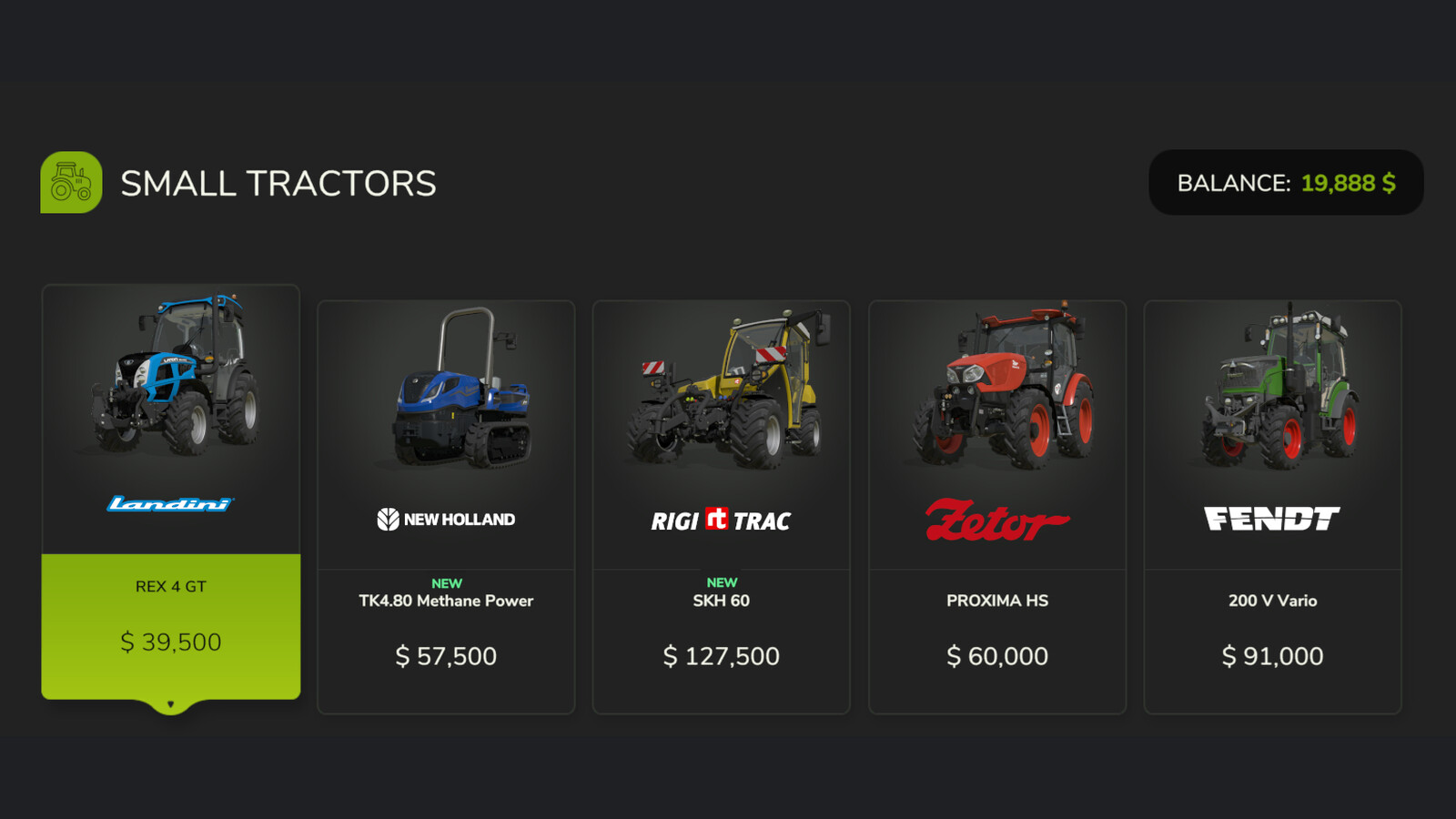
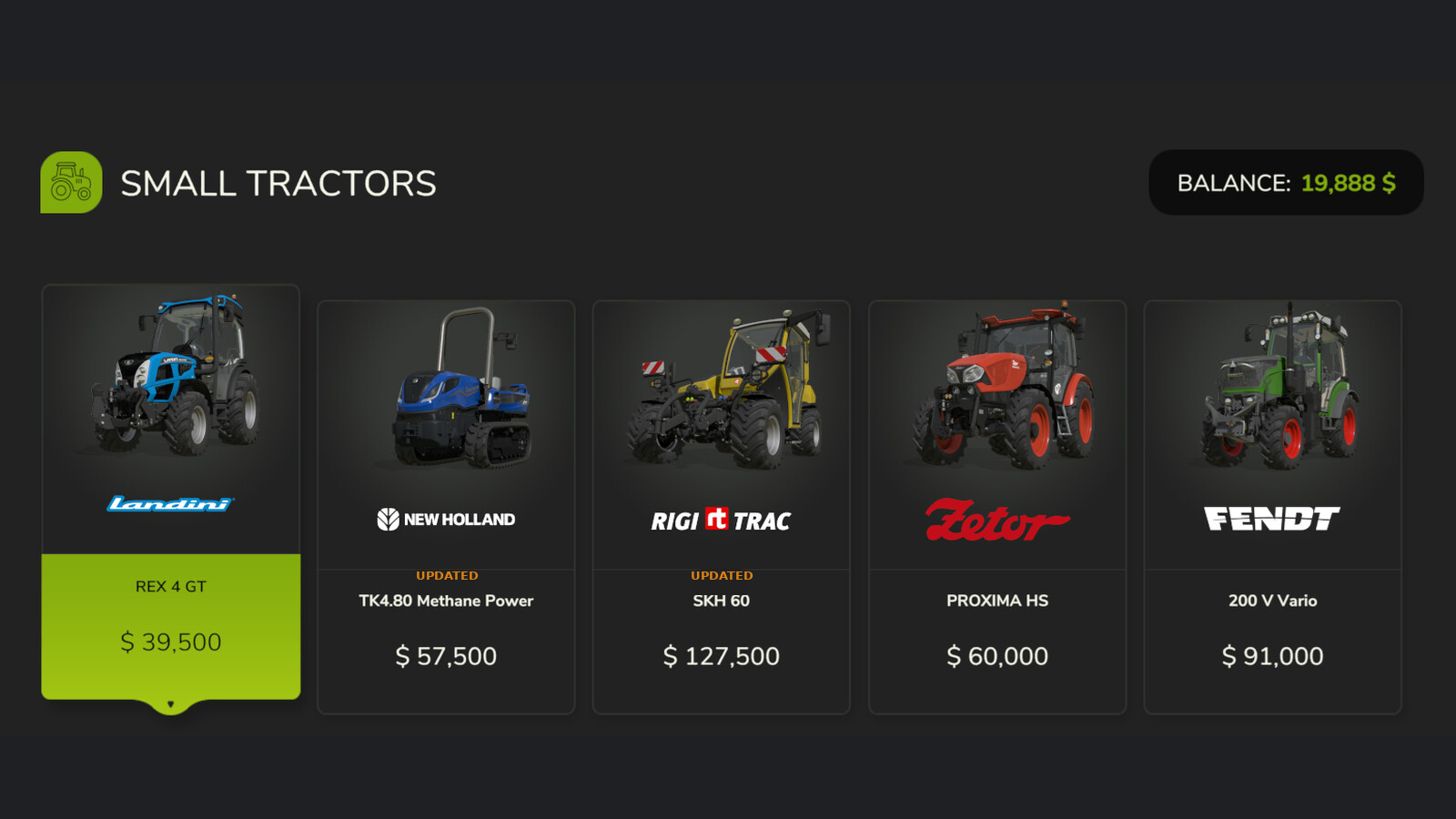
Displays a coloured ribbon label on shop item tiles to help you keep track of what is new or updated in your mod collection.
A green NEW label appears on any mod you have not seen before in the shop. An orange UPDATED label appears when a mod's version number increases. Both labels are shown for 14 days before fading away automatically.
Note: UPDATED only appears if the mod version increases after your first run of the game with this mod installed.
GENERAL SETTINGS
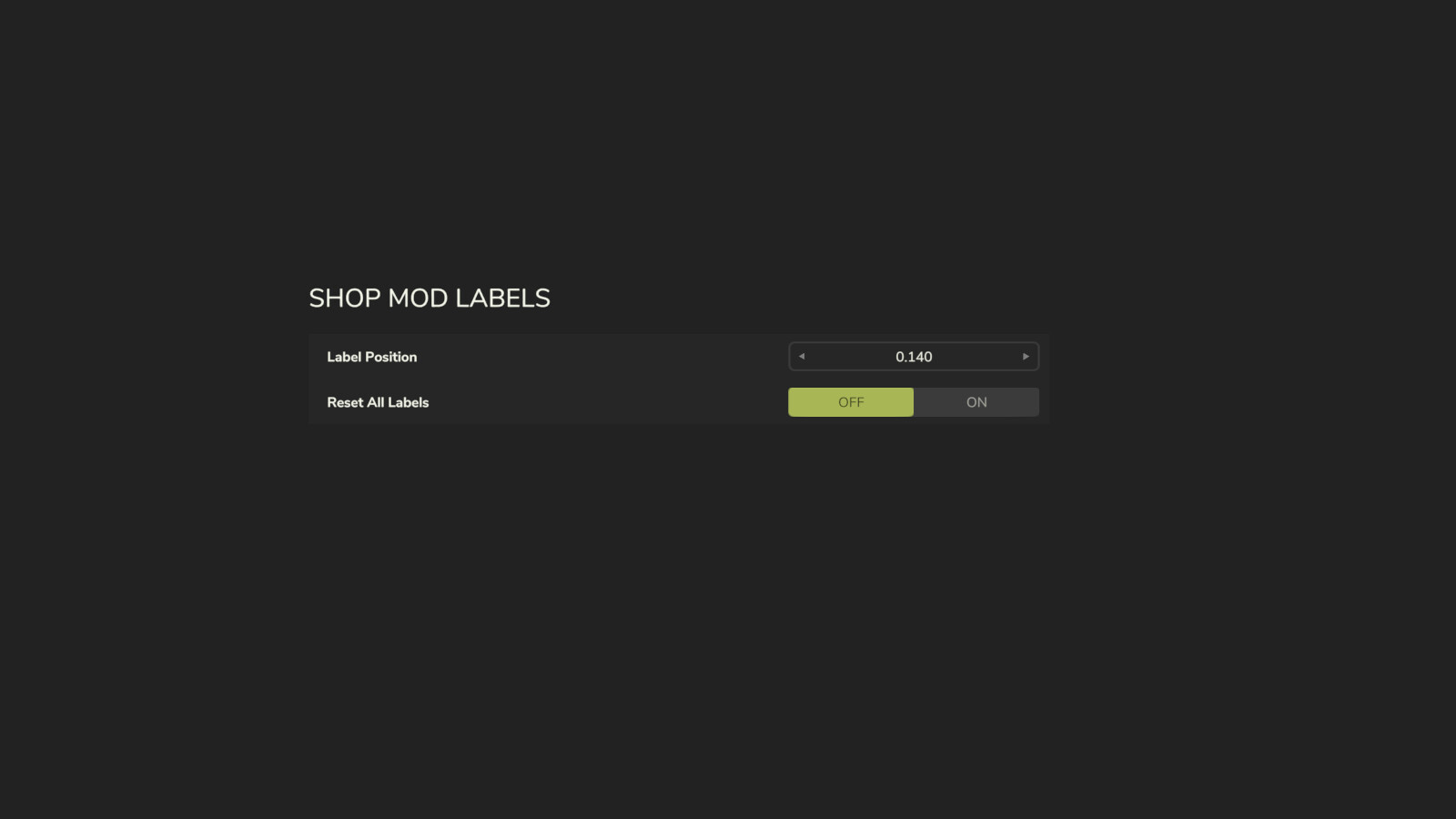
A dedicated section is added to the General Settings menu with two options:
- Label Position: A stepper control (◄ value ►) lets you fine-tune the vertical position of the labels on shop tiles. The starting position is automatically chosen based on your screen resolution — standard 16:9, widescreen, and ultrawide 21:9 displays are all detected at startup.
- Reset All Labels: Clears the history of all seen and updated mods, so every item in the shop will show as NEW again. Useful after a fresh start or a large mod list change.
Settings are saved and persist between play sessions.
Changelog:
1.1.0.0:
- Added Label Position stepper in General Settings (◄ value ►)
- Automatic aspect ratio detection at startup: 16:9, widescreen, and ultrawide 21:9
- Label position is user-configurable and persists between sessions
- Fixed ghost label issue when changing position
- Reset All Labels option in General Settings
1.0.0.0:
- Initial release
- NEW label shown for mods added after first run (14 days)
- UPDATED label shown when mod version increases above 1.0.0.0 (14 days)
Suggested Mods

Ratings & Reviews
0
0 reviews
| 5 stars | ||
| 4 stars | ||
| 3 stars | ||
| 2 stars | ||
| 1 stars |
| Login above to Rate & Review this. Let us know what you think! |
| No Ratings & Reviews Yet. Be the first to leave a Rating & Review! |