Contract Type Generator
| Mod Name | Contract Type Generator |
| Game | Farming Simulator 25 |
| Manufacturer | None |
| Category | Gameplay |
| Author | Huxinator |
| Size | 93 KB |
| Version | 1.0.0.0 |
| Release Date | 18.03.2026 |
| Platform | PC/MAC |
Views 3
Downloads 0
ModBarn 0 (0)
ModHub 3.4 (25)
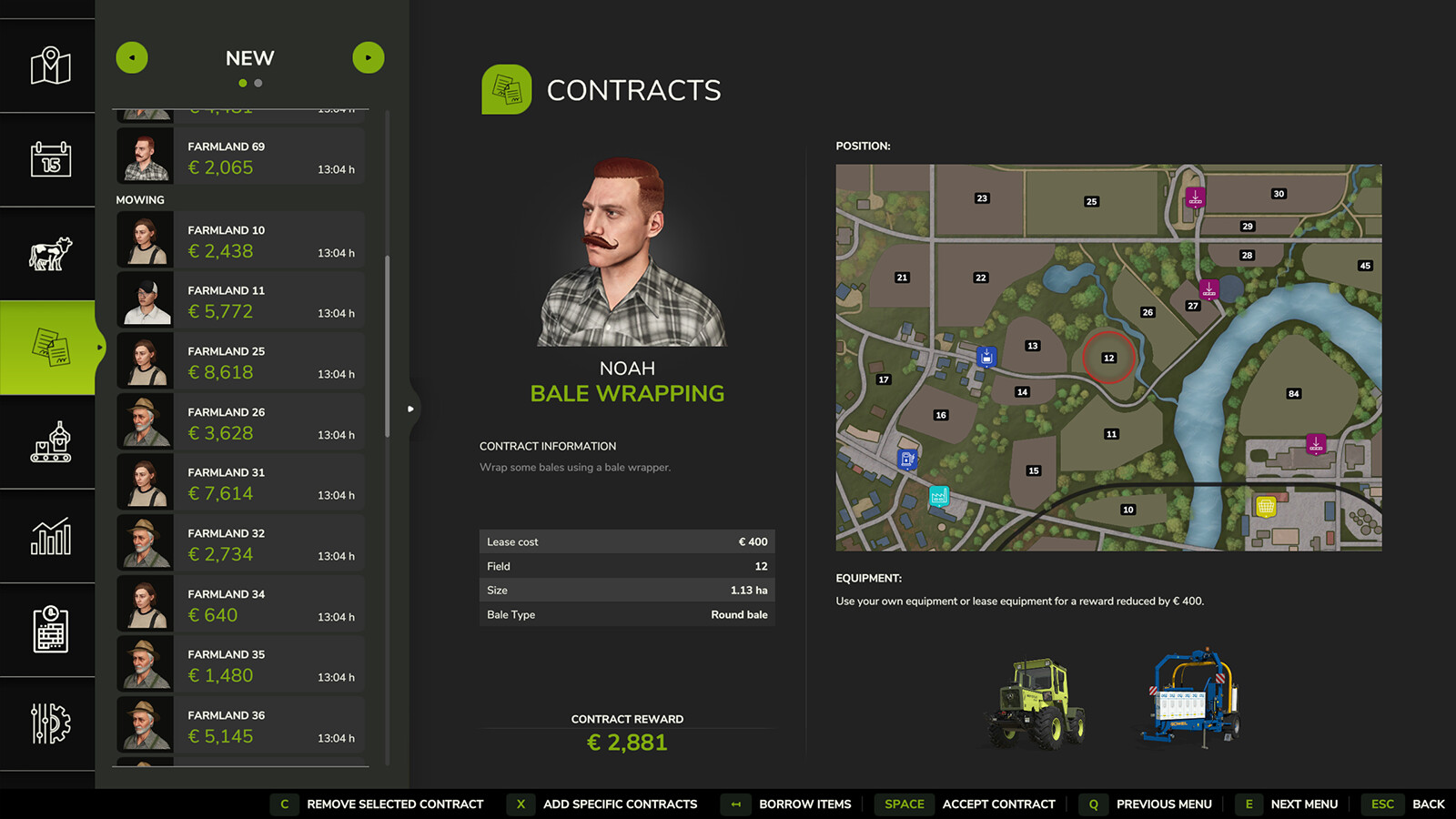
Adds two buttons to the contracts menu.
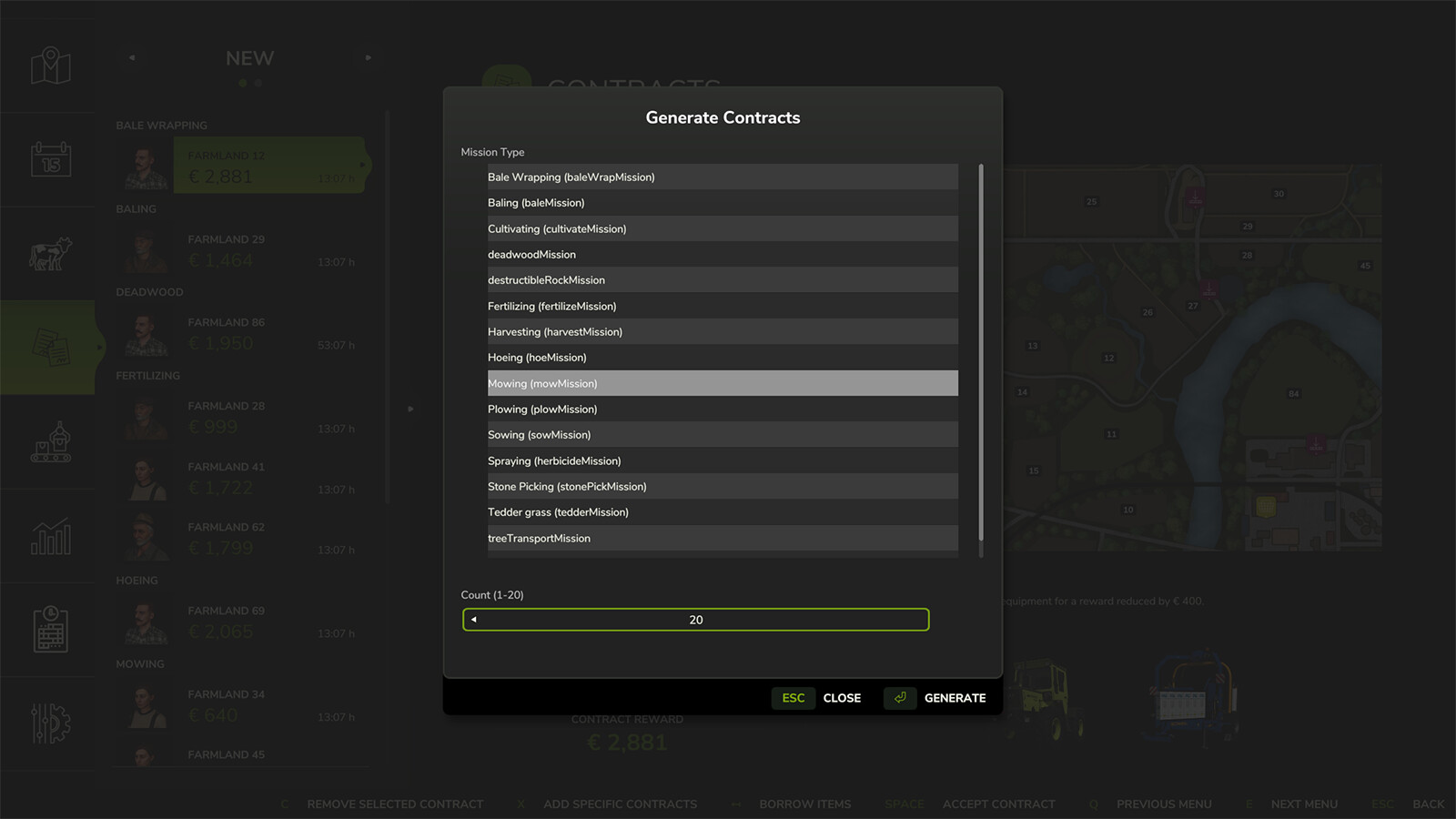
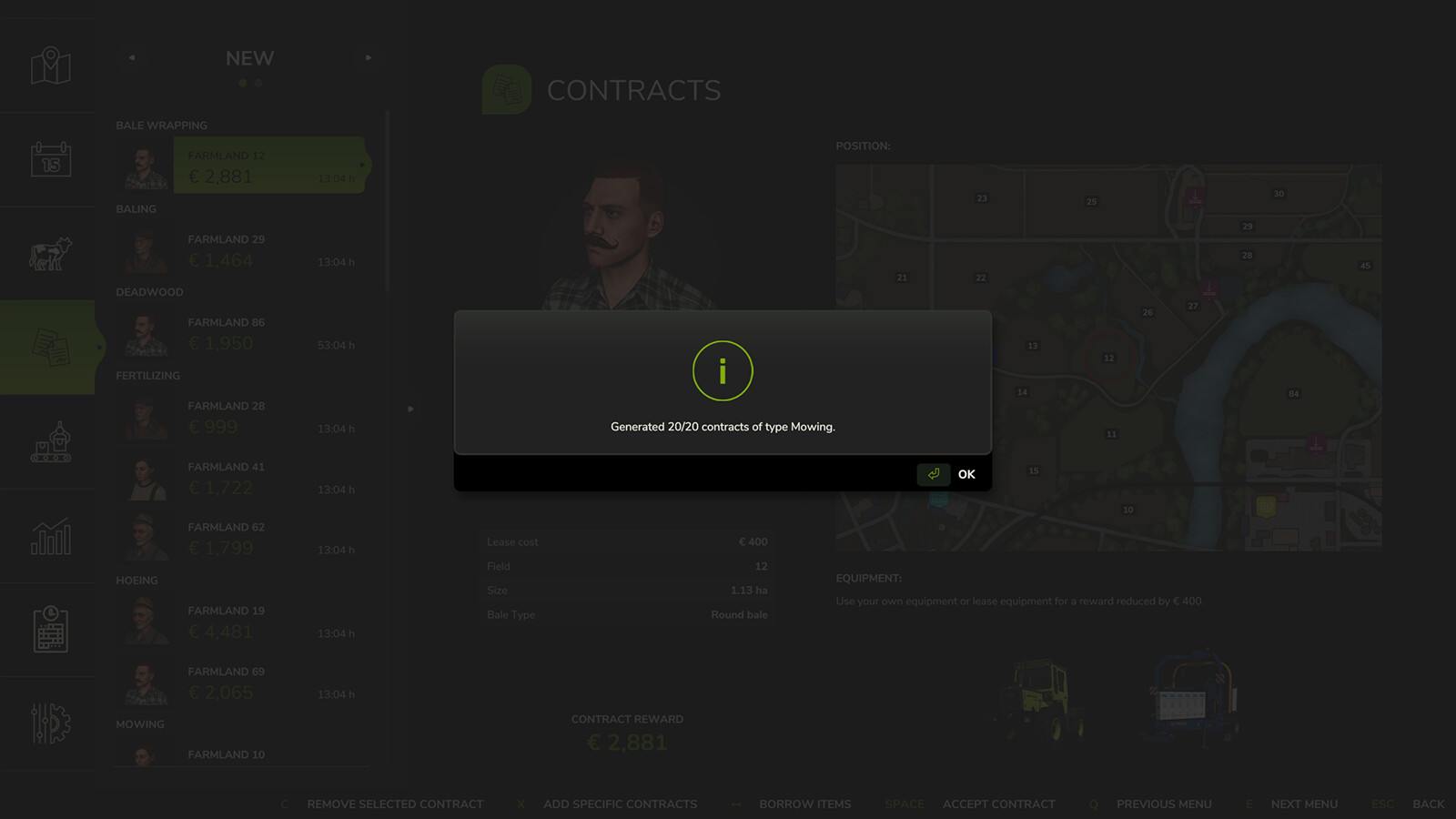
With the first button, contracts/missions can be created by type. This opens a popup in the missions window where you select the mission/contract type and set a quantity of 1 to 20 contracts to be created. Afterwards, exactly those contracts of that type are generated.
Fields whose current state already matches the selected contract type are preferred. Only when no suitable fields are available anymore are fields prepared accordingly so that they become suitable for the respective contract.
This also works with mission types from other mods, provided they are registered in the MissionManager.
Additionally, there is a second button with which an existing contract can be removed.
More from Huxinator

Suggested Mods
Ratings & Reviews
0
0 reviews
| 5 stars | ||
| 4 stars | ||
| 3 stars | ||
| 2 stars | ||
| 1 stars |
| Login above to Rate & Review this. Let us know what you think! |
| No Ratings & Reviews Yet. Be the first to leave a Rating & Review! |